|
a branch of

ocotillo central
OLG Meeting Notes Nov 7, 2003 ...
Warning: include(icons): Failed to open stream: No such file or directory in /home/cogdog/public_html/mcli.cogdogblog.com/ocotillo/olg/notes.php on line 136
Warning: include(icons): Failed to open stream: No such file or directory in /home/cogdog/public_html/mcli.cogdogblog.com/ocotillo/olg/notes.php on line 136
Warning: include(): Failed opening 'icons' for inclusion (include_path='.:/opt/cpanel/ea-php82/root/usr/share/pear') in /home/cogdog/public_html/mcli.cogdogblog.com/ocotillo/olg/notes.php on line 136
|
Ocotillo Online Learning Group
Meeting Nov 7, 2003
Estrella Mountain Community College
1:30 - 3:30 PM in the Center for Teaching and Learning (CTL)
See CTL web site
Group Communication and Collaboration Models used in the Hybrid Environment. Learn how Estrella faculty use group communication and collaboration models to promote critical thinking and communications abilities in their hybrid courses.
"See" also the iSight, a camera that works with AppleÕs iChat to provide simple and high quality 2 way video conferencing abilities.
Welcome and Introductions
Polly Miller (Estrella Mountain)
- Joseph Mattoon (District Office, MATEC)
- Susan Quade (Mesa)
- Dee Long (Estrella Mountain)
- Michelle Traveler (District Office)
- Randy Anderson (Estrella Mountain)
- Polly Miller (Estrella Mountain)
- Joe Cruz (Estrella Mountain)
- Jeffrey Anderson (Mesa)
- Joyce Oswald (Rio Salado)
- Laura May (Mesa)
- Julie Magadan (District Office)
- Karen Gurney (South Mountain)
|
- Jen Mansfield (South Mountain)
- Sandra Wells (Phoenix College)
- Roman Reyes (Phoenix College)
- Ann Barrett (Mesa)
- Alicia Barnett (Phoenix College)
- Del Jeffers (South Mountain)
- Deb Raffin (Estrella Mountain)
- Valerie Akuna (Estrella Mountain)
- Karen Grizzaffi (Estrella Mountain)
- Steve Kazarian (Estrella Mountain)
- Alan Levine (District Office)
- Randi Tietz (District Office)
|
What's New in Online Learning at Our Campus
all participants
A round up of who's doing what (briefly!) per site represented.
- Estrella Mountain is offering a workshop on hybrid redesign to be facilitated by Polly Miller. Participants will work on courses in the spring that will be offered next fall.
- Phoenix College has determined it is more efficient to have students take tests in the testing center than to offer them in WebCT. Phoenix College will be offering CIS 236 online to faculty to teach instructors how to take over an existing hybrid course.
- South Mountain Teaching and Learning Center will be upgraded to the enterprise version of Blackboard 6.0 in the spring. Faculty at South Mountain are mentoring faculty in Blackboard. CIS236/237 for faculty will be offered Spring 2004.
- Mesa is utilizing many macromedia products, includeing a lot of Flash and Flash Communication Server in several of their online courses including some foreign language classes.
- From the District Office MATEC received a grant to develop and offer basic electronics modules online for faculty and students. See details from the MATEC web site. Michelle Travers shared information on training sessions for MIDAS to be offered on November 14th and December 4th at Rio Salado College.
Teaching in the Community Colleges (TCC) Online Conference 2004Alan Levine (mcli)
This year is the ninth annual Teaching in the Community Colleges Online Conference, a virtual conference that is hosted by the University of Hawaii Kapi'olani Community College in April 2004. This coming year, Ocotillo is sponsoring registration so that every faculty and staff member from Maricopa can participate. The conference also offers an opportunity for students to participate as well. He encouraged faculty to participate.
Overview of Group Communication and Collaboration Models used in Hybrid Course Development at Estrella Mountain
Polly Miller (Estrella Mountain)
Polly Miller gave a summary of the process Estrella Mountain uses to design a hybrid course. She shared the template they use in the design process. Estrella Mountain utilizes Blackboard for their online courses. They hope to begin using blogs and e-portfolios in the near future.
- Deb Rafin shared rubrics for her hybrid course. She used SmarThinking and TaskStream extensively in the planning of her course.
- Valerie Akuna shared one of her early hybrid courses to highlight the improvements that have been made. The Estrella Mountain courses are now more streamlined. She shared her teaching strategies of her hybrid courses. She groups students into groups of three for her "buddy system" and utilizes the virtual classroom from 7:00-7:15 PM for synchronous communication with her students.
- Roberta Gray shared her group assignments. She assigns students to groups of 4-5 then assigns each student a role in the group. The roles are facilitator, motivator, and submitter. Student communication has improved and that she prefers the structure.
- Stephanie Fujii shared the challenges of course development. She suggested that how a course is structured must be considered when designing a hybrid course. She also shared that faculty must know the content well and be creative in order to be successful.
Break!all
Enjoy some snacks while networking.
Alan Levine (mcli)
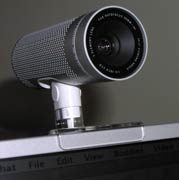 Alan will demonstrate (on all four screens of the CTL) iSight, a nifty camera that works with Apple's iChat software (free with Mac OSX 10.2) to provide very simple and high quality 2 way video conferencing abilities. Alan suspects a PC version may not be long behind. The software can also be used with any DV camera hooked up to a Fire-Wire capable Mac.
iChat users can maintain "buddy lists" use AOL Instant Messaging accounts (free) or Mac.com addresses ($$). Updating the basic iChat to iChat A/V provides the functionality that works with the iSight camera. Any buddies listed that have a video icon next to their name are available for two way video chats (broadband connection needed, but audio chats can be done without extra hardware and over a 56k dial-up connection).
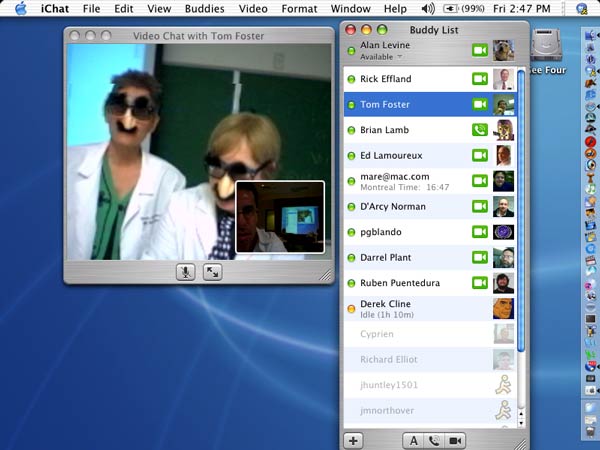
 This is an example of a Mac Desktop with Alan's iChat session open (view image). The buddy list on the left shows all of his colleagues whoa re currently online, and the video icons indicate which ones have the capability of 2-way video chatting.
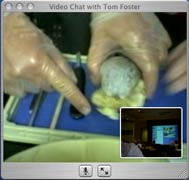
Our first call was to Tom Foster at Chandler-Gilbert Community College. Tom took his iSight attached to a laptop and connected to the Chandler-Gilbert wireless network, and provided a virtual visit to Marsha Segerberg's biology lab, where they performed a mock skit and showed a dissection/analysis of a brain specimen.
Unfortunately, the video was a bit blocky and the audio muffled, perhaps an issue of diminished bandwidth over a shared wireless network (??). We checked out before we saw what happened to Tom's brain...
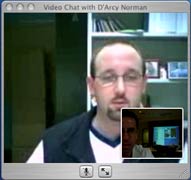
Our next trip was outside Maricopa, and outside the US, to visit D'Arcy Norman, a software developer at the University of Calgary, in Alberta, Canada. For this great a distance, the connection was very clear, although Alan remarked that it is usually a bit better.
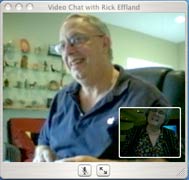 Following Canada, we came back to Phoenix to check in on Rick Effland, Anthropology faculty at Mesa Community College. We reached Rick at his home in East Mesa, where the audio and video was perfectly clear (Rick was using a wireless network at home, so video chat is feasible over this kind of network.
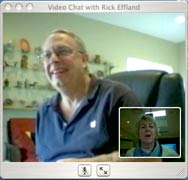
Rick described how they have used the iSight to hold department meetings between the Mesa Main and Red Mountain campus, saving valuable time by not forcing people to drive to a meeting. He shared that it has been very effective for the meetings, and in some way changes the dynamics of a meeting as compared to a teleconference, where fellow participants only hear you.
Rick answered additional questions from Sandra Wells and Polly Miller.
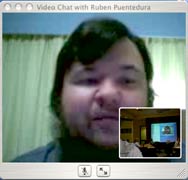
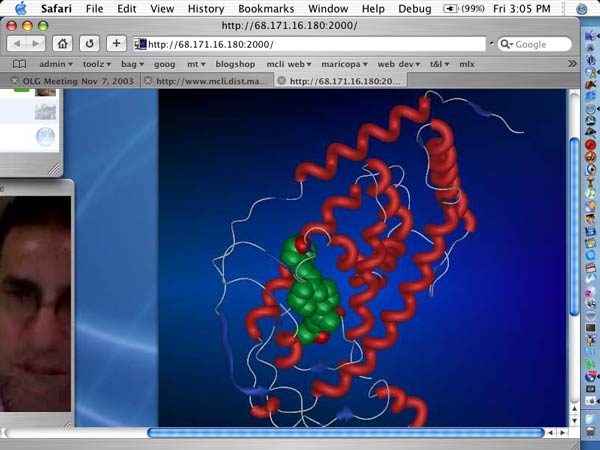
For our next visit, we zoomed over to Massachusetts to talk to Ruben R. Puentedura, an educator and founder of Hippasus. Unfortunately again, Ruben's audio was a bit muffled, so we could hear well his description of how he uses the iSight. He set up a demo to show how he can use a screen grab of his desktop and some mark-up software to provide annotation of visual information such as an example of a DNA molecule view image).
The software used to send a snapshot o his desktop is called SnapperHead, an easy to use little application that requires very little processing power. It works well in conjunction with this application, Ultimate Penwhich allows you to scribble on top of whatever is displayed on the desktop. Combined with SnapperHead, you can "mark up" your desktop in response to remote viewer questions.
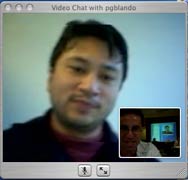
From the east coast we quickly zipped over to the Pacfic, to visit briefly with Peter Blando (left), at the University of California, Davis. We got a nice look out his window at a nice California day.
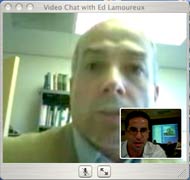
Our last stop was to talk to Ed Lamoureux (right), faculty member in the Multimedia program at Bradley University in Illinois. Ed showed us some fall colors through his window, and then described how the iSight has enabled communication between himself on the 2nd floor of his building, with his dean on the 3rd floor and programmers on the first floor.
Among the questions was one about the ability to record a iChat session. Alan had never tried it, but speculated that if one used a DV camera for the connection, one might be able just to record via the camera.
However, after the meeting, Jim Tipton from Mesa Community College sent a link to Gcam, a free Mac OSX program-- "a simple little application for recording
video clips from your Apple iSight, another web cam, or a DV
camcorder? With GCam, you can do just that: record QuickTime
.mov format files with selectable video and audio compression,
save the clips to your Mac, and then edit them, email them, or
just watch them at your leisure... for free!" We will keep you posted on this program.
Update (Nov 12, 2003): Gcam is useful for using your iSight as an A/V recorder directly to QuickTime, however it does not work in conjunction with iChat to record and save a video session. We are investigating other options.
Problem-Solving Corner
all
No problems were shared at this meeting.
Door Prizesall
Stick around to see if you win one of the prizes (you must register on the sign in sheet and be present to win).
The prizes for this meeting include these books:
- Roman Reyes won "Building Learning Communities in Cyberspace" by Rena Paloff and Keith Pratt (speakers for the October 23 and 24, 2003 Dialogue Day on "Teaching Hybrid Courses"
- Randy Anderson won "Web Teaching Guide" - A practical guide to creating course web sites" by Sarah Horton of Dartmouth College
- Del Jeffers won "The Web Collection: Macromedia Flash MX, Dreamweaver MX, and Fireworks MX" by Sherry Bishop, Jim Shuman, and Barbara Waxer.
- Valerie Akuna won a copy of KeyNote the presentation software for Mac OSX.
We will again make use of the prize patrol tool!
 OLG Prize Patrol
by Alan Levine
Get the .swf file to use for yourself or the original Flash MX file to see how it is done.
Next Meeting...
December 5, 2003 at Scottsdale Community College.
|